Office · reception · staff room · info screen
A digital notice board for the spot people walk past
The pinboard by the coffee machine works because everyone walks past it. Keep that spot, swap the paper for a TV, and let calendars, HR data and your own announcements keep it current without anyone printing anything.
14-day free trial, no credit card · €9 per screen / month
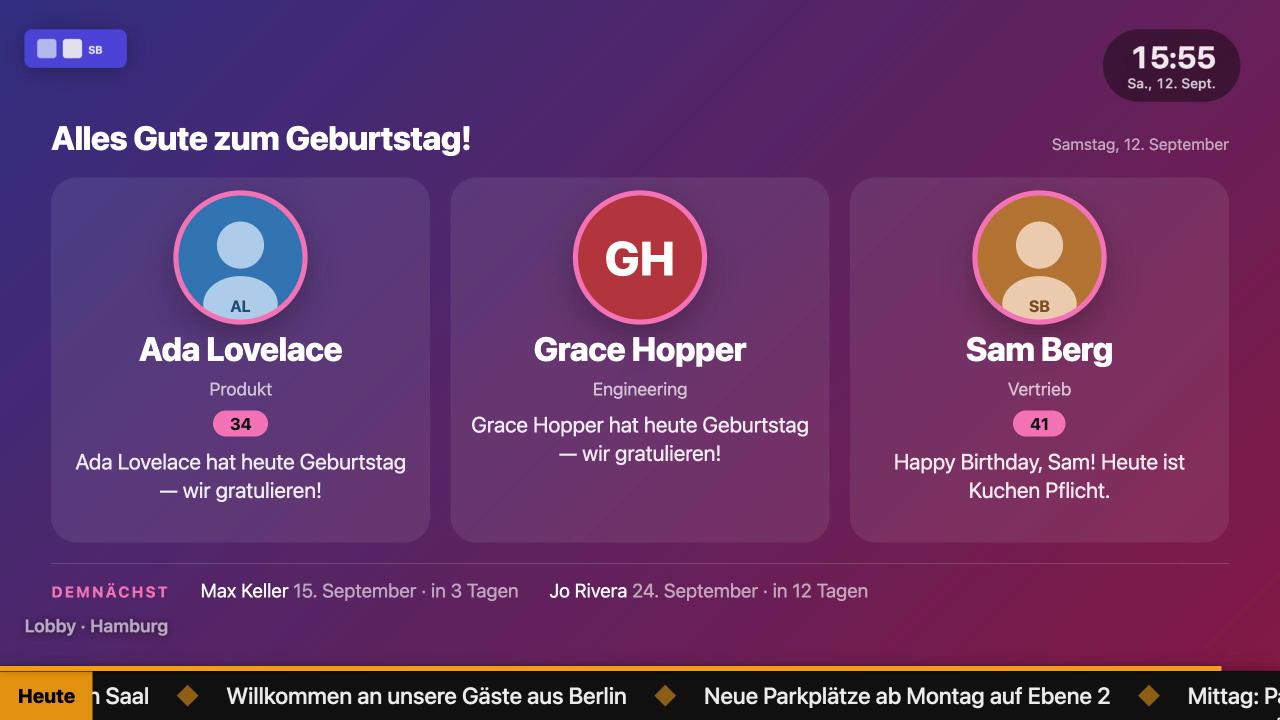
What the screen shows
Announcements
Big, readable messages in your company colours with a start and end date, the fire drill on Thursday disappears on Friday by itself.
Today's calendar
Meetings, visitors and room bookings from Google Calendar, Outlook/Microsoft 365, Nextcloud or any iCal link, recurring events included.
Birthdays, anniversaries, new colleagues
From the built-in people directory or a CSV import: photo, name, a greeting from your own pool. Slides skip themselves when there is nothing to celebrate.
KPIs and dashboards
Google Analytics, Search Console or any JSON API rendered through a template; Grafana, Metabase or Power BI embedded as a page.
News and weather
Headlines from any RSS feed as cards or ticker, the forecast for your site, air quality, next departures at the stop outside.
Guest Wi-Fi and QR codes
Wi-Fi credentials as a scannable code, links to forms, the canteen menu or the intranet.
What changes compared with a pinboard
Nothing goes stale
Every slide can have a schedule; feeds refresh themselves; expired notices vanish.
One click for urgent news
Send a message to one or all screens from the console, as a corner toast or a full-screen takeover, also from Slack, n8n or a script via the API.
Several sites, one console
Each location gets its own screen with a local playlist; a company-wide overlay ticker runs on all of them.
Set it up
- 1
Mount a TV where people already look
Reception, the corridor to the kitchen, the staff room. Any Android TV or Google TV stick, or the TV's own browser.
- 2
Connect your sources
Paste an iCal link, an RSS feed, a Google Sheet or upload your people list. No IT project.
- 3
Build a 10-slide playlist
Rule of thumb: 8–12 seconds per slide, mixed formats, a schedule for anything time-bound.
Frequently asked questions
Can I show different notices per department or floor?
Yes: one screen per location with its own playlist; shared slides can be reused in several playlists.
Who can edit the board?
Anyone you invite as editor. Viewers can look but not change; every change is logged with name and time.
Does it work in portrait, like a poster?
Yes. Switch the screen to portrait in the console; every slide format adapts.
Is there a digital notice board app for Android TV?
The Screenbutler TV app runs on Android TV and Google TV with autostart and offline cache; other TVs use the browser player.
Related pages
The digital signage player for the Android TV you already own
A €30 TV stick plus the free Screenbutler TV app is a complete signage player: it starts with the TV, keeps playing when the Wi-Fi drops and shows exactly what you set up in the browser, within a second of every change..
Digital signage for schools the office can run itself
The screen in the entrance hall should show what changes daily (substitutions, canteen menu, exams, events) without a teacher editing PowerPoint before first period.
Free digital signage software for 14 days, every feature included
Up to 10 screens, every slide format, the browser console, the TV app and scheduling: free for 14 days, without a credit card.
Try it on your own TV for 14 days.
Every feature, up to 10 screens, no credit card. After the trial, €9 per screen per month, cancel monthly.