Slide formats, player and console
Screenbutler has three parts: the slide formats that make up your content, the player that runs on the TV, and the console where you manage it all. Every feature is included at one price.
Slide formats
Twenty-seven formats, each with a live preview that runs the exact code the TV uses.
Announcement
Title, text, your colours, optional image; start and end dates so notices expire by themselves.
Countdown & clock
Days, hours and minutes to a date; analogue or digital clocks with the date, per time zone.
Calendar
Google Calendar, Outlook / Microsoft 365, Nextcloud or any iCal link; list, agenda or room-sign layouts.
Weather & air quality
Current conditions, hourly and 7-day forecast, pollen and air quality for any place, without an API key.
Departures
Next buses and trains at the stop outside, from public transit data.
News & RSS
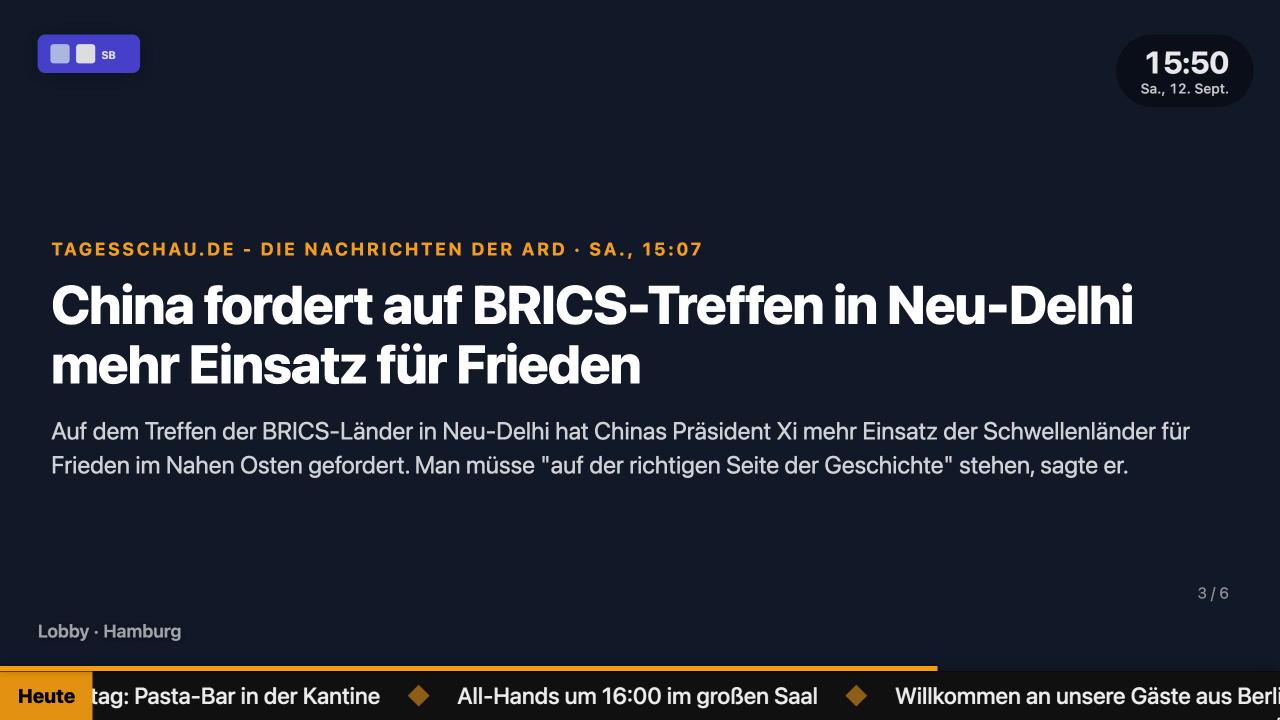
Any feed as cards, list or ticker, with images and summaries.
Photos & galleries
Single images or galleries with a slow zoom; fit or cover; shuffle.
Video & YouTube
Uploaded videos, YouTube videos and playlists, live streams.
Multi-page documents, paging automatically.
Menu
Categories, dishes, prices, "new" and "sold out" badges.
Table from Google Sheets
Any sheet as a formatted table: substitution plans, specials, KPIs.
QR code
Wi-Fi credentials, links, forms and menus as a scannable code with a caption.
Birthdays, anniversaries, welcome
From the people directory; slides skip themselves when nobody is celebrating.
Google Analytics & Search Console
Users, sessions, clicks, impressions, top pages and queries with trends.
Slack & social
A Slack channel as cards; social posts as a wall or one at a time.
Reviews
Latest ratings and quotes from your Google Business profile.
Any JSON API
Point it at a URL, map fields in a template, and the screen shows live data.
Website & HTML
Embed pages and widgets, or write your own HTML.
Layouts & designer
Split-screen layouts combining several slides; a free-form designer for anything else.
Player
The TV app for Android TV and Google TV, or the same player in any browser.
Autostart
Boots straight into the playlist after a power cut or when the TV is switched on.
Offline cache
Playlist and data are cached on the device; the screen keeps playing when the network drops.
Remote-control keys
Previous and next slide, pause, status overlay, refresh and reload on the TV remote.
Pairing code
Six characters, typed once into the console; the screen never holds a login.
Portrait & sync
Rotate any screen to portrait; several TVs paired to one screen play in sync.
Any browser
Samsung, LG, a Raspberry Pi or PC in kiosk mode: same player, same content.
Console
Everything is managed in the browser, from a laptop or a phone.
Live preview
Every slide is previewed with the player code the TV uses; what you see is what plays.
Playlists & scheduling
Drag to order, seconds per slide, weekday, time window and date range per slide.
Overlays
A logo, the time, a watermark and a news ticker over every slide, per company or per playlist.
Messages
A corner toast or a full-screen takeover to some or all screens, now or scheduled.
People directory
Colleagues with photo, birthday and start date; CSV import; greeting texts of your own.
Roles & audit log
Owner, admin, editor, viewer. Every change is logged with who, what, when and which screens.
Several companies
Manage more than one company from one login, each with its own screens and members.
API
Everything the console does is JSON over HTTPS; push announcements from cron, Home Assistant or n8n.
English, German & French
Console, player and TV app come in three languages; each screen can have its own.



Try it on your own TV for 14 days.
Every feature, up to 10 screens, no credit card. After the trial, €9 per screen per month, cancel monthly.